
Appearance
Manage billing and wallet
Use Billing to review wallet funds, upcoming renewals, orders, and activity before making a payment.
Before you begin
Organization-member access can independently restrict wallet balance, payment, renewal outlook, activity, or export. Work only with actions visible to your role.
Steps
- Select Billing in Main navigation.
- Review wallet cards and Renewal outlook. Treat unavailable values as unknown, not zero.
- Open Orders to find charges and invoices, or Wallet activity to review funds, purchases, refunds, adjustments, and referral rewards.
- Select Add funds only when you intend to start a real provider payment.
- Refresh once when current balance or order state is needed before another paid action.
On your screen
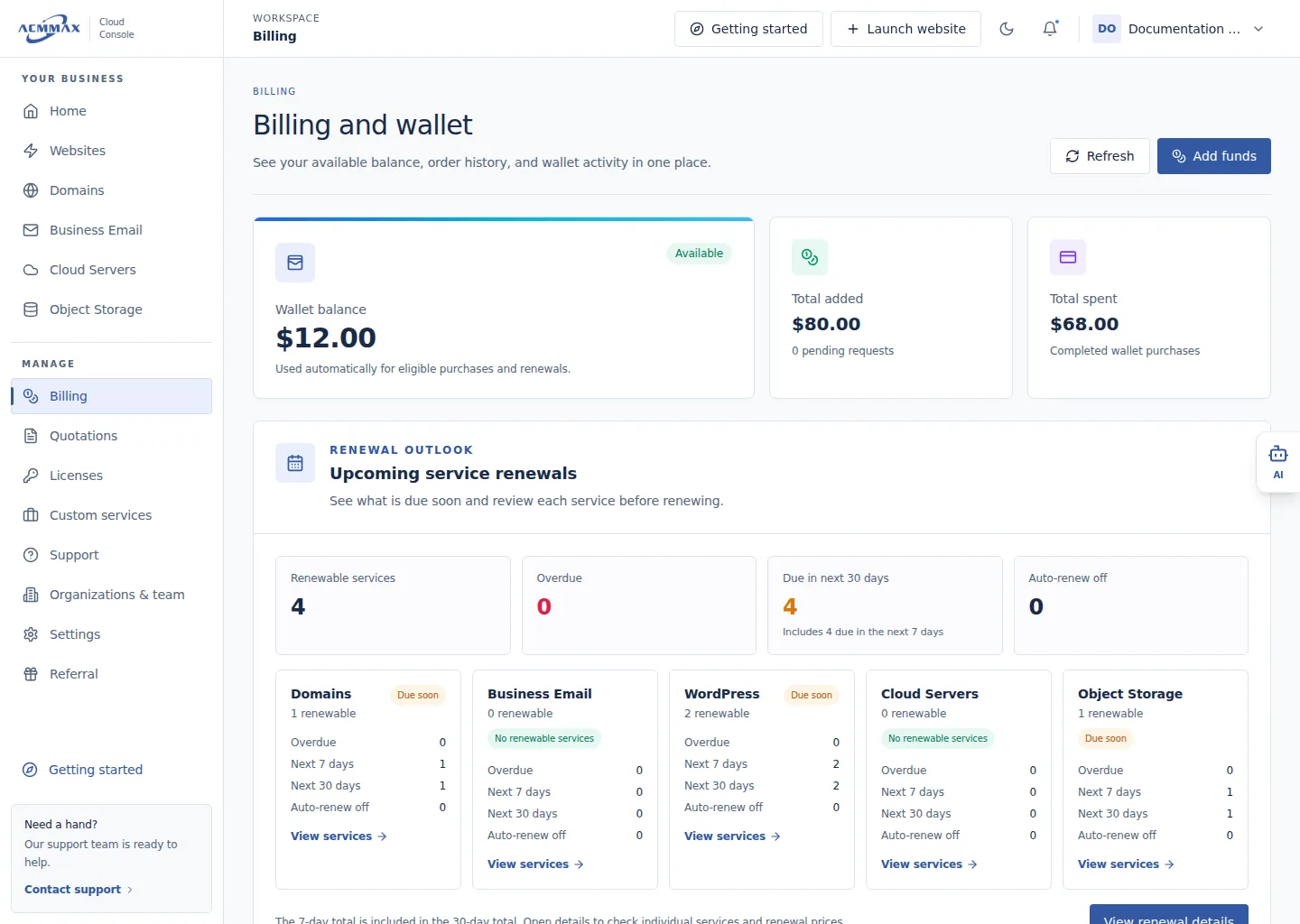
Manage billing and wallet. Example screen with sample data.
Check it worked
The intended billing task opens without making a charge automatically.
Billing areas
| Area | Use it for |
|---|---|
| Wallet cards | Current balance, added or pending funds, and spending |
| Renewal outlook | Overdue, near-term, automatic-renewal-off, and unknown-date services |
| Orders | Order status, details, payments, invoices, and email history |
| Wallet activity | Transaction history, filters, and permitted CSV export |
| Add funds | Starting a payment with a currently available provider |
Need help?
| State | What to do |
|---|---|
| Billing or a tab is absent | Members should ask the owner to review access. |
| Values are unavailable | Refresh once; do not approve payment based on an assumed balance. |
| Payment result is unknown | Review wallet activity and orders before repeating anything. |
| Billing remains unavailable | Contact Support with a safe order or service reference. |