
Appearance
Use the Home dashboard
Use Home to review account health, continue onboarding, and open the right product without changing a service.
Before you begin
Counts, wallet information, and actions depend on role, granted access, service state, and current data availability. A dash, Not available, or a partial-data warning does not mean zero.
Steps
- Select Home in Main navigation.
- Review the visible service totals and healthy counts. If a count is unavailable, open the product before drawing a conclusion.
- Review Wallet balance when permitted. Do not approve a purchase from stale or unavailable balance information.
- Check Needs your attention and select Continue only after confirming the service and requested action.
- Review Your websites, Finish getting your website online, Business Email, and Infrastructure sections when shown.
- Use Website maintenance, Launch a website, Manage email, View cloud services, or View all to open the corresponding area.
- If this is a new account, follow the first-site action only when you intend to start setup or a purchase.
On your screen
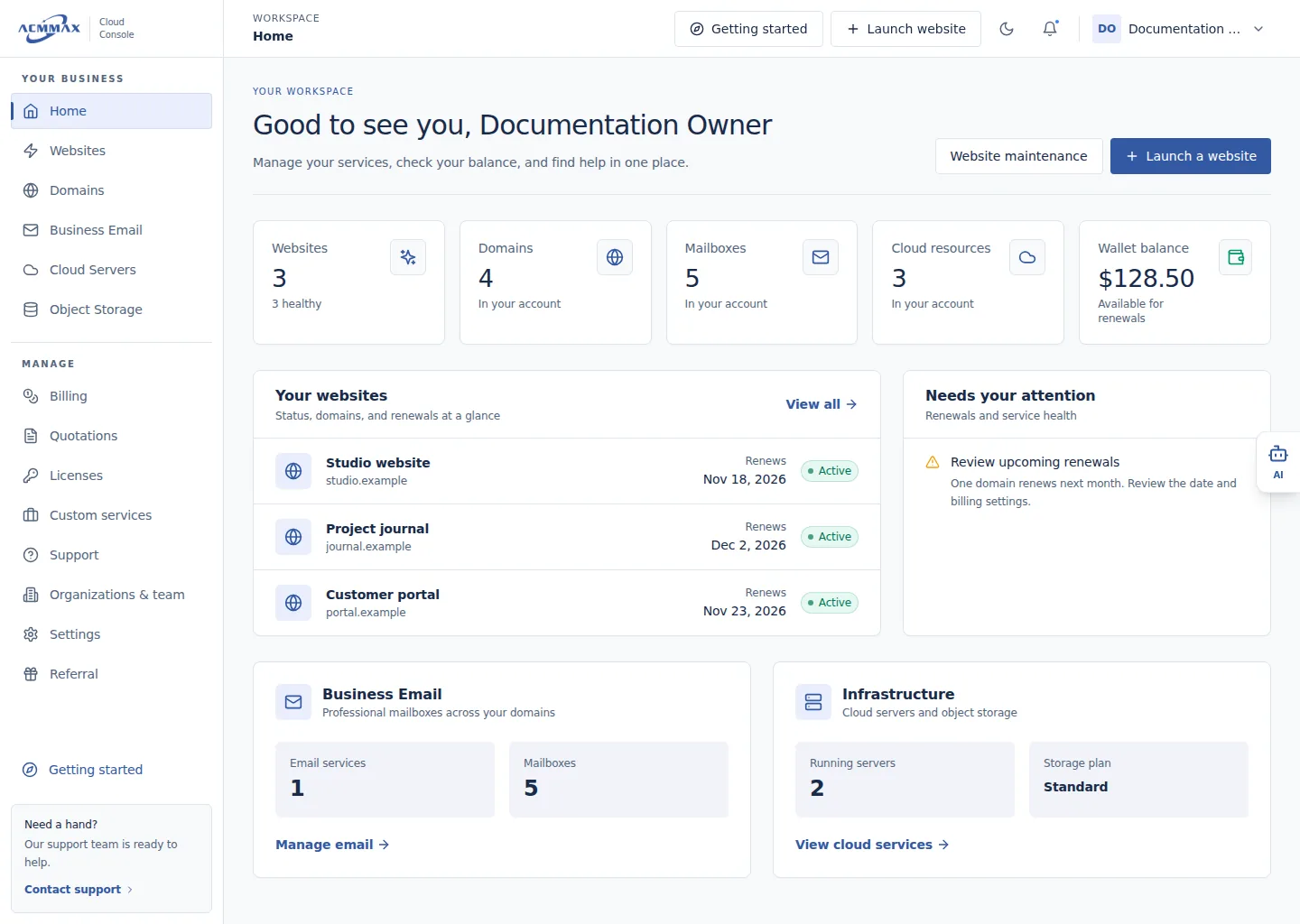
Use the Home dashboard. Example screen with sample data.
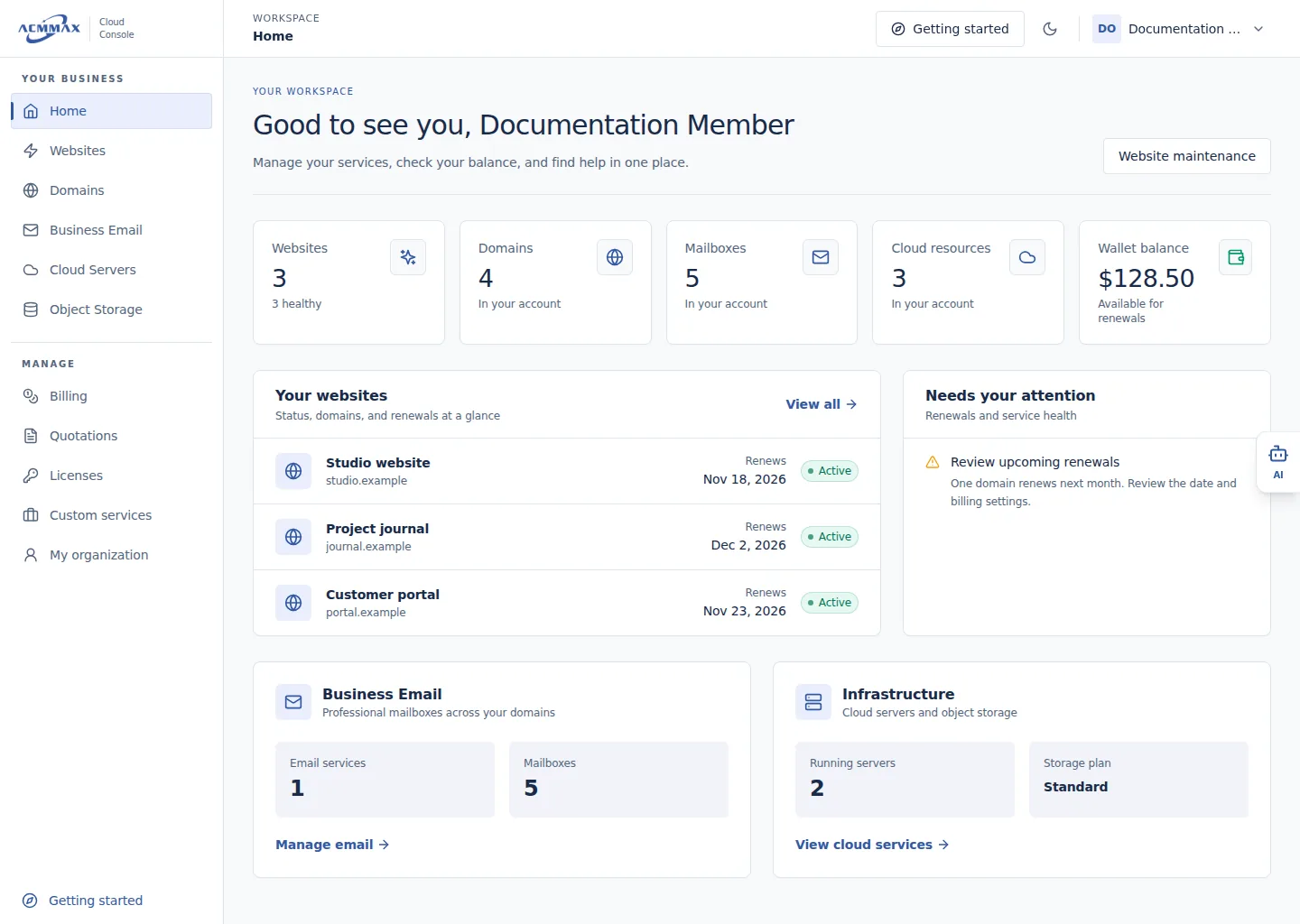
Use the Home dashboard — team member view. Example screen with sample data.
Check it worked
You identify a product, onboarding step, or recovery action. Merely opening Home does not change or purchase a service.
Dashboard states
| State | Meaning |
|---|---|
| Number | Current count returned for the visible account scope |
— | Count is unknown; it is not zero |
| Not available | Information cannot be shown to this session |
| Partial-data warning | Some cards loaded but the summary is incomplete |
| Needs your attention | A visible service has a follow-up task |
| First-site state | No visible website is ready yet; an available setup action is offered |
Need help?
| State | What to do |
|---|---|
| A card fails to load | Retry once, then open the product list directly. |
| Wallet is unavailable | Review Billing and do not repeat a payment. |
| Expected service is absent | Check role access and the relevant product list. |
| Attention item is unclear | Open the service, review its current state, or contact Support. |