
Appearance
Manage Cloud Servers
Use Cloud Servers to create and operate servers, monitor resources, change billing, manage snapshots and networking, use the console, and perform settings tasks.
Before you begin
Server actions can create charges, interruption, public exposure, credential changes, or data loss. Organization members see only servers and controls available to their access.
Steps
- Select Cloud Servers in Main navigation.
- Review existing servers and select Manage, or choose Create server when offered.
- Verify server identity and status before opening Overview, Billing, Snapshots, Network, Console, or Settings.
- Follow payment-result pages for billable work and wait for terminal state before repeating an action.
On your screen
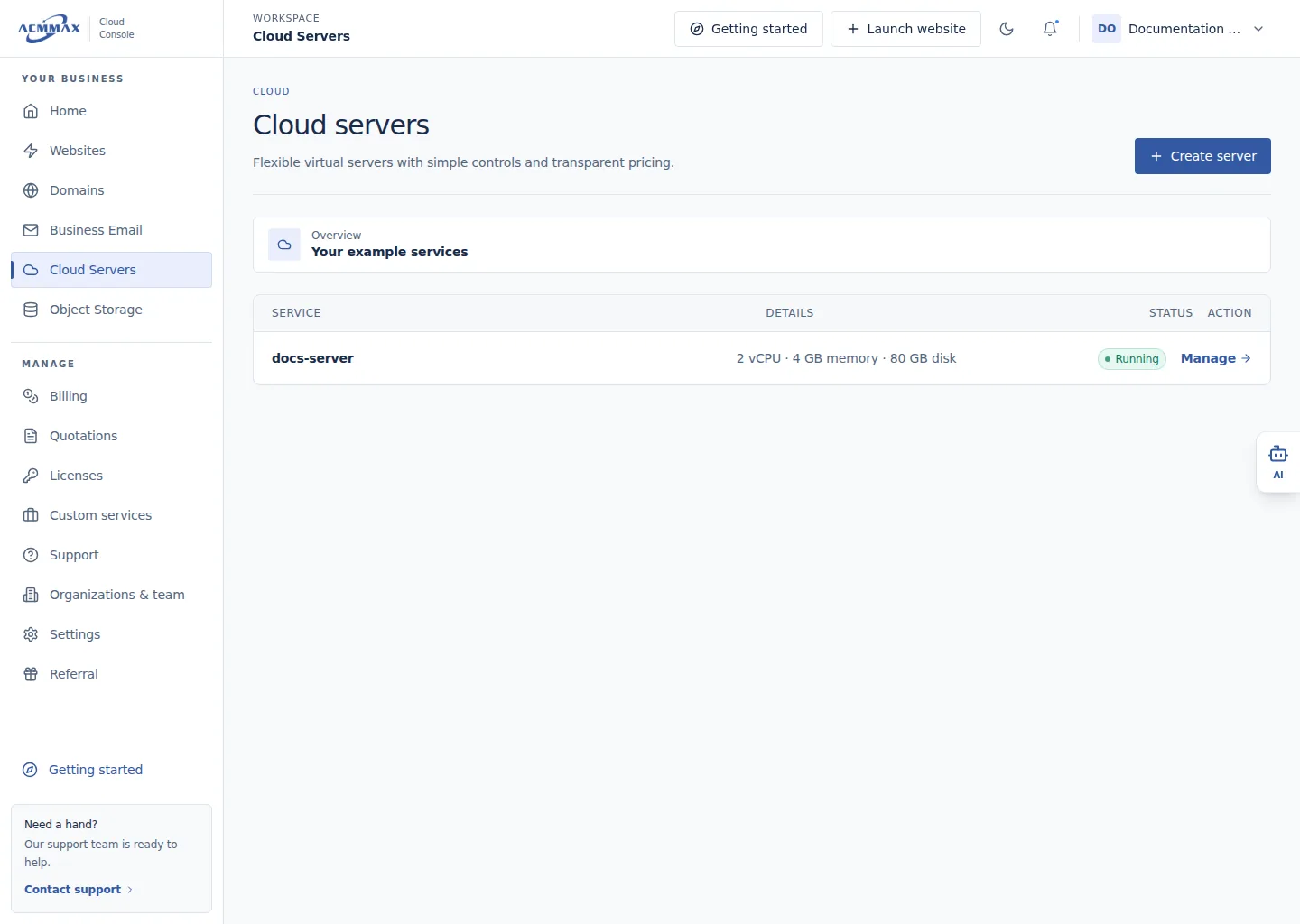
Manage Cloud Servers. Example screen with sample data.
Check it worked
The selected server task opens without changing power, network, data, or billing automatically.
What to enter
| Area | Use it to |
|---|---|
| Overview | Review allocations, system facts, and available metrics |
| Billing | Manage automatic renewal, paid renewal, upgrades, and snapshot slots |
| Snapshots | Create, roll back, and delete recovery points |
| Network | Publish services and connect domains |
| Console | Open a running server's VNC console |
| Settings | Reset credentials, reinstall, or delete when eligible |
Need help?
| State | What to do |
|---|---|
| Server or action is absent | Review member access and server state. |
| Transition or payment is uncertain | Refresh and check the related operation; do not repeat it. |
| Provider metrics or console is unavailable | Retry later and contact Support with a reference shown on the page. |