
Appearance
Manage quotations
Use Quotations to find current proposals, review progress, and open one before responding or paying.
Before you begin
Quotations are available only to the primary account. A list total or progress indicator is not a substitute for reviewing the current items and terms.
Steps
- Select Quotations in Main navigation.
- Review Quotation, Total, Progress, and Status for each row.
- Move through pages to find the intended quotation.
- Open it and review items, totals, payments, notes, validity, and terms before using any action.
On your screen
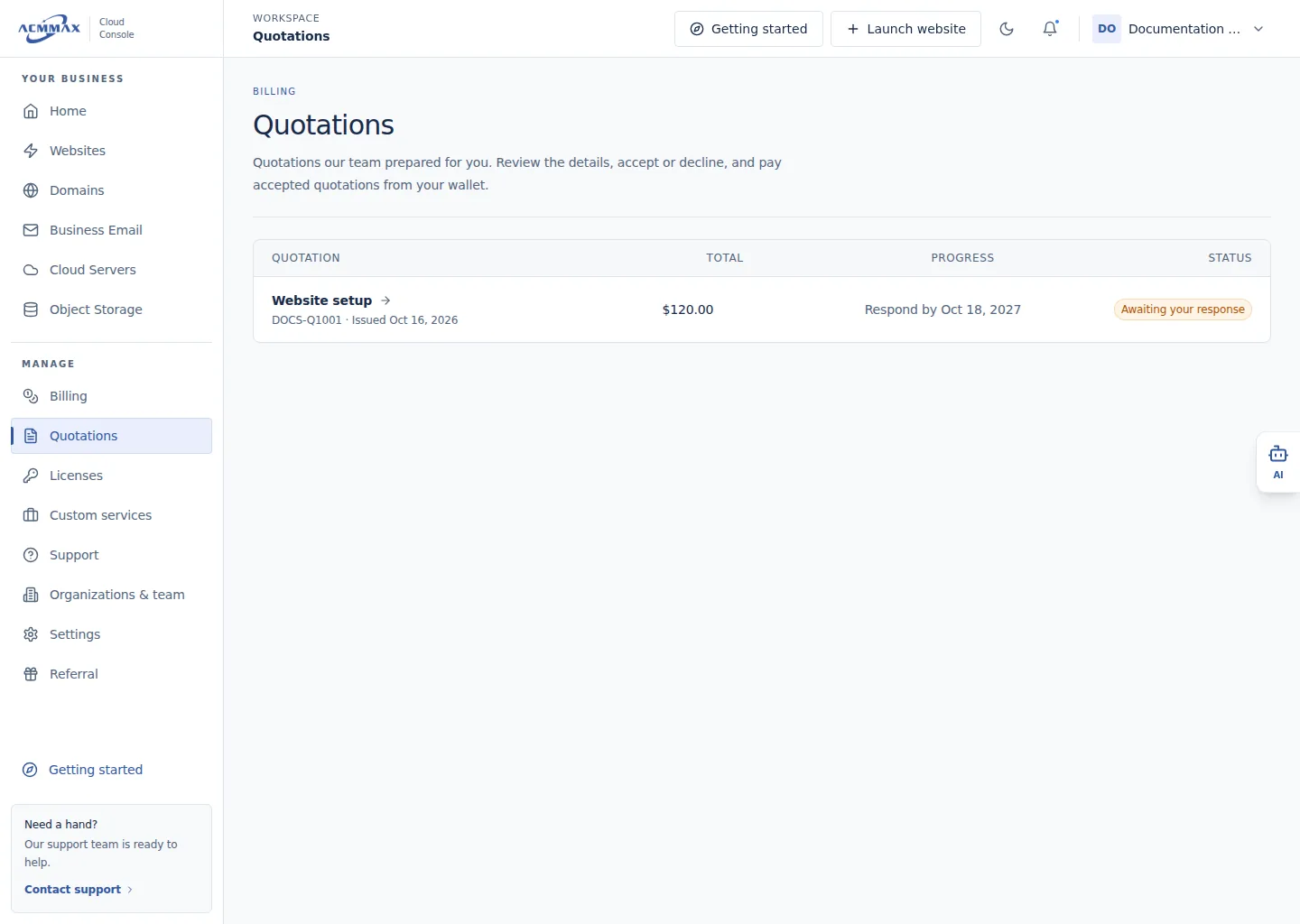
Manage quotations. Example screen with sample data.
Check it worked
The selected quotation opens, or the list shows a clear loading, empty, error, or unavailable state.
Need help?
| State | What to do |
|---|---|
| Quotations is unavailable | Confirm you are using the primary account. |
| List is empty | Verify the account and use a trusted email quotation link if one was sent. |
| Status is unclear | Open details and review validity and payment state. |
| Quotation cannot load | Retry once, then contact Support with a safe quotation reference. |