
Appearance
Use the Referral program
Share the current referral link responsibly and review invited, qualifying, pending, and available reward information.
Before you begin
The Referral program is primary-account only. Current qualification, minimums, daily checks, cooling period, and approval rules are shown in the Console. Rewards are service credit, not guaranteed cash or bank payouts.
Steps
- Select Referral in Main navigation.
- Review the referral code and link, then the Invited, Topped up, Total rewards, Pending, and Available cards.
- Read the current program terms, including 30-day first-referral attribution, qualifying completed top-up, and cooling-off period.
- Select Copy link and share it only with people who expect it; do not use deceptive or unsolicited distribution.
- Filter reward history by All or the offered status and review referred user, type, amount, date, and status.
- Use pagination for older records and treat pending rewards as unavailable until confirmed.
On your screen
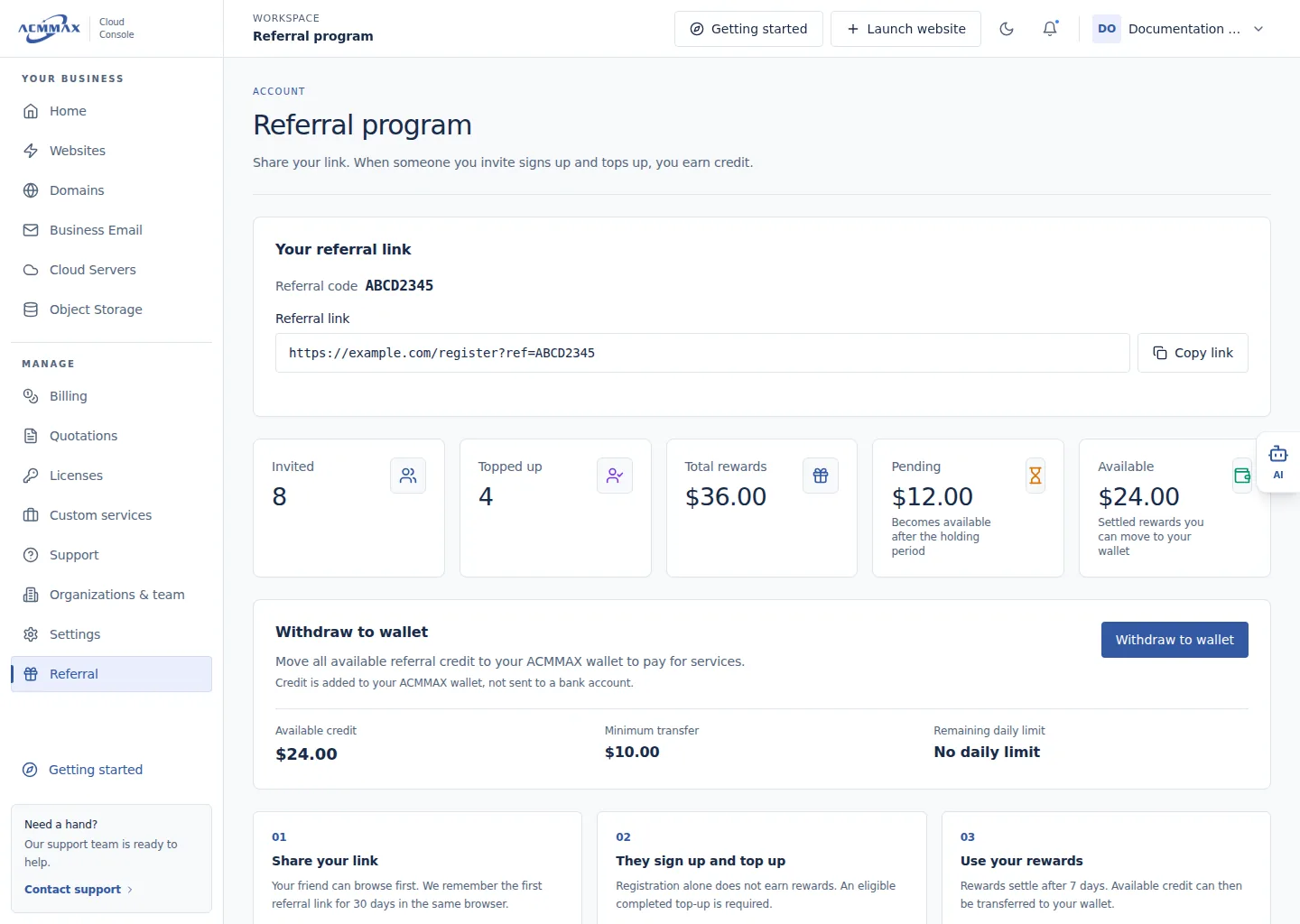
Use the Referral program. Example screen with sample data.
Check it worked
The current link, program terms, and reward states appear without promising an unconfirmed reward.
Reward states and values
| Item | Meaning |
|---|---|
| Invited | Attributed invited accounts shown by the program |
| Topped up | Referrals meeting the displayed top-up condition |
| Pending | Reward still in cooling, review, or approval |
| Available | Eligible service credit currently offered for wallet transfer |
| Reward history | Current type, amount, date, and status details |
Need help?
| State | What to do |
|---|---|
| Referral is unavailable | Confirm you are using the primary account. |
| Invitation is not attributed | Review the 30-day first-referral rule; do not recreate accounts. |
| Reward remains pending | Wait through the displayed cooling or review period. |
| Counts or history cannot load | Retry once, then contact Support with a reference shown on the page. |
| Link was shared unexpectedly | Stop distribution and contact Support if misuse is suspected. |