
Appearance
Manage mailboxes
Create email addresses for the people in your business, reset a mailbox password, or remove a mailbox you no longer need. Each mailbox belongs to a Business Email service for a particular domain.
Before you begin
Open the correct Business Email service and check that it is active. You need an unused mailbox slot to create an address. Tell the mailbox user before changing their password or deleting their mailbox.
Steps
Create a mailbox
- Open Business Email, select the service for your domain, and open Mailboxes.
- Select Add mailbox. Enter the address prefix: for example, entering hello creates the hello address at the domain shown next to the field. Check the complete address.
- Enter the user's first and last name. Choose an initial password or select Generate secure password, then save it securely.
- Select Create mailbox. Check that the address appears in the mailbox list, and save any one-time password result before closing it.
Reset a password
- Find the correct address in Mailboxes and select Reset password.
- Confirm the address. The old password will stop working.
- Save the new password before closing the result and share it securely with the mailbox user.
Delete a mailbox
- Save any mail you need before continuing. Deleting the mailbox permanently removes its mail.
- Select Delete beside the correct address.
- Type the full address requested by the confirmation, review it, and confirm Delete mailbox.
On your screen
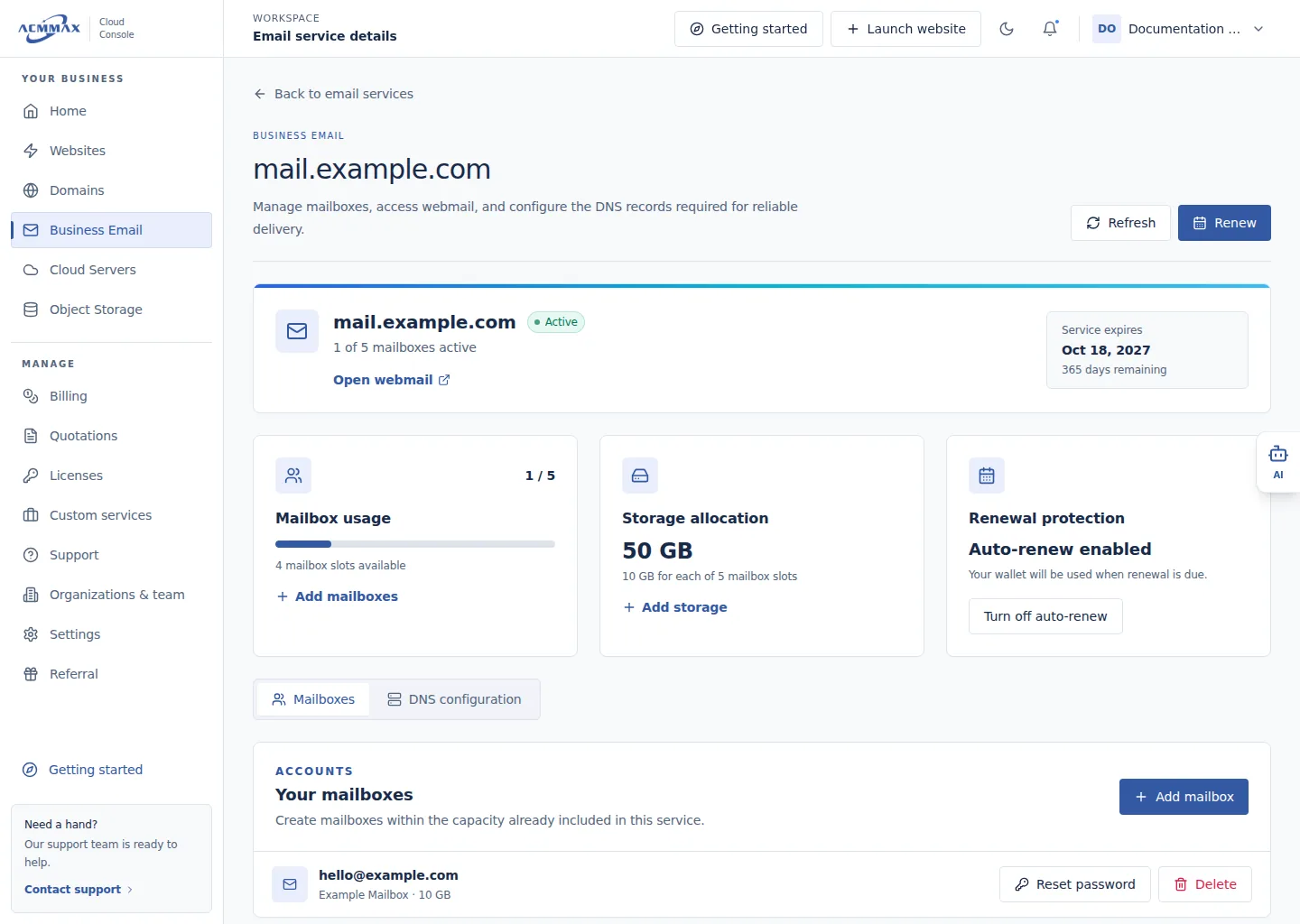
Manage mailboxes. Example screen with sample data.
Check it worked
A new address appears in the mailbox list, a reset returns a new password, or the deleted address disappears. If you close a generated-password result without saving it, reset the password again; the previous result cannot be reopened.
What to enter
| Field or option | Required | Guidance |
|---|---|---|
| Address prefix | Yes | Verify the complete resulting address before creation. |
| First and last name | Yes | Use the intended mailbox identity. |
| Initial password | Yes | Choose generated or a strong custom value and store it securely. |
| Typed address | For deletion | Must identify the exact mailbox being permanently removed. |
DANGER
Passwords are one-time secrets. Store them only in an approved secret manager. Deleting a mailbox permanently removes its mail, so export required mail first.
Need help?
| State | What to do |
|---|---|
| No slots remain | Use Add mailboxes if offered. |
| Address is invalid or already used | Correct the prefix or choose a unique address. |
| Password result was closed | Reset the password again; the old one cannot be revealed. |
| Delete result is uncertain | Refresh the mailbox list before taking another action. |